
Contact Form
The Contact Form plugin is for projects that need lead capture on the published website.
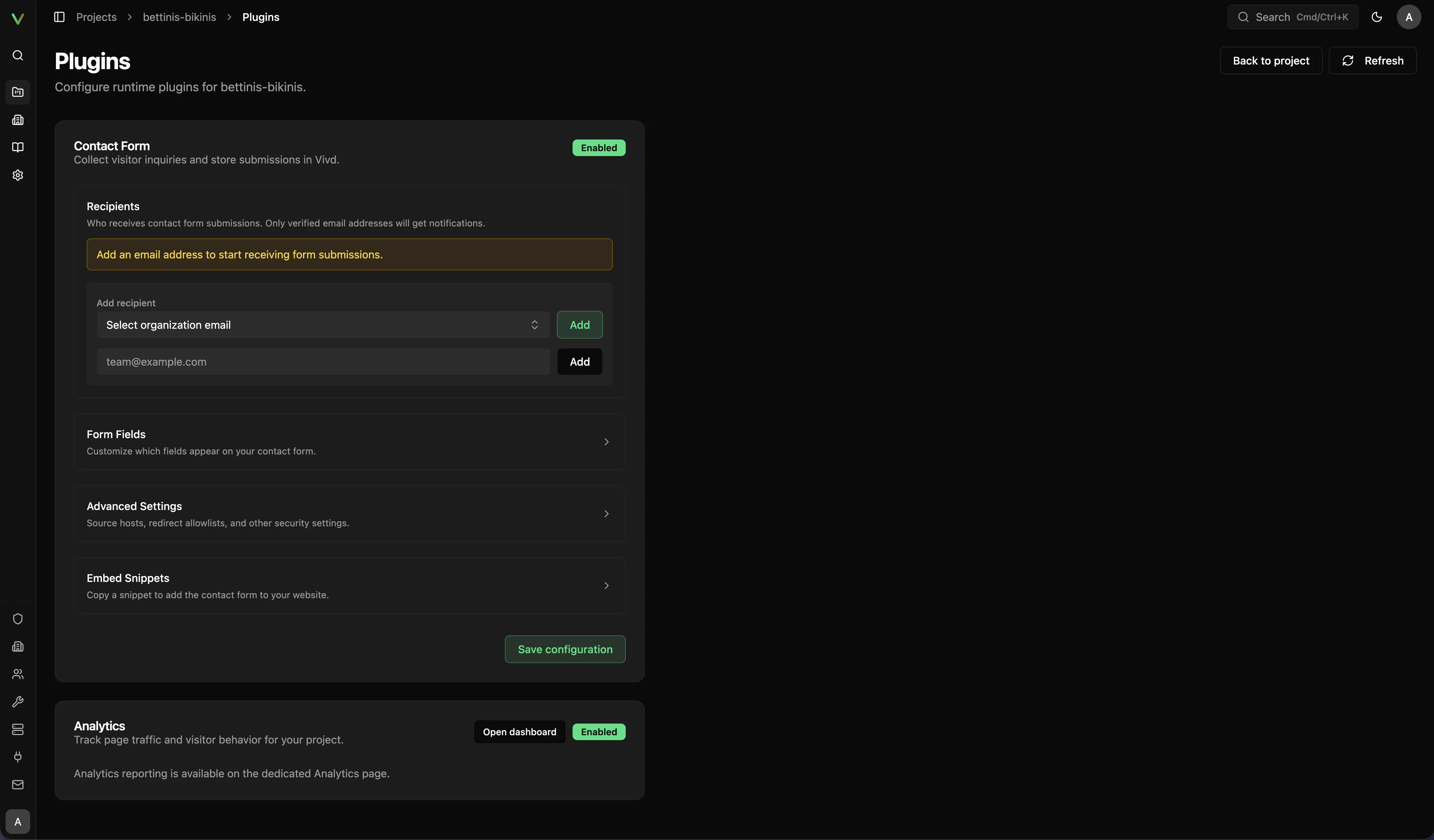
What to configure
Section titled “What to configure”- Enable the Contact Form plugin for the project.
- Define the fields that should appear in the form.
- Add or verify the recipient email addresses that should receive submissions.
- Use the generated snippet or supported integration pattern in the site where needed.
Recommended launch check
Section titled “Recommended launch check”- Confirm the recipient list is correct.
- Submit a real test message.
- Verify that the message reaches the intended inbox.
- Re-check the site after publishing to confirm the live form behaves the same way.
Good defaults
Section titled “Good defaults”- Keep the form short on the first release.
- Ask only for information you will actually use.
- Make the call to action specific to the business outcome.
Troubleshooting cues
Section titled “Troubleshooting cues”- If the form is visible but messages never arrive, re-check the configured recipients.
- If recipients are correct but delivery still looks wrong, review Email & Deliverability.
- If you changed the form structure, run a fresh end-to-end test before publishing.
- If the live site behaves differently from Studio, see Troubleshooting.