
Analytics
The Analytics page of a website has two parts. Traffic is always on for every website published with Vivd and needs nothing from you. Visitors & engagement is the Analytics plugin, which adds visitor-level data and needs a consent choice on your website.
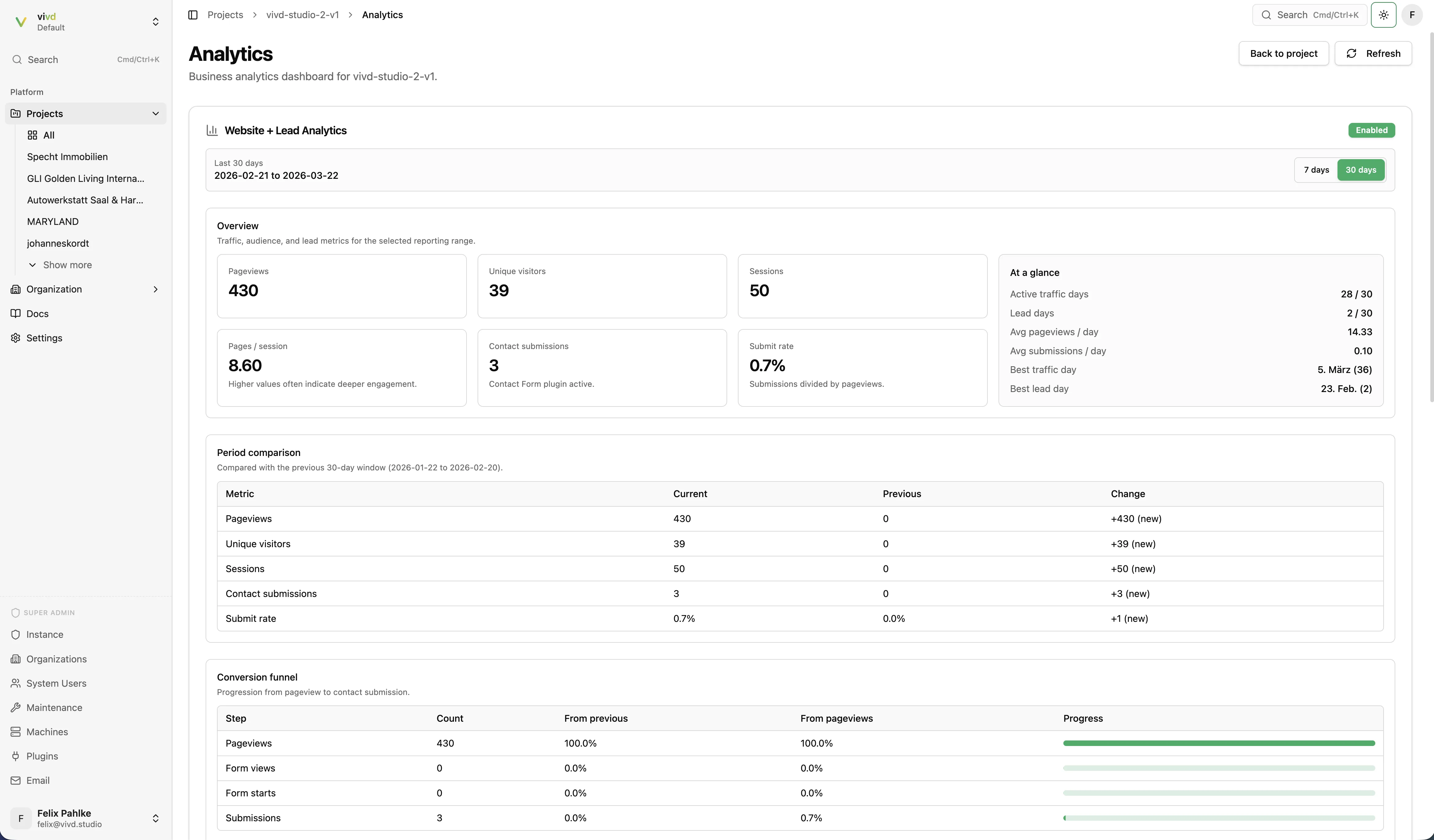
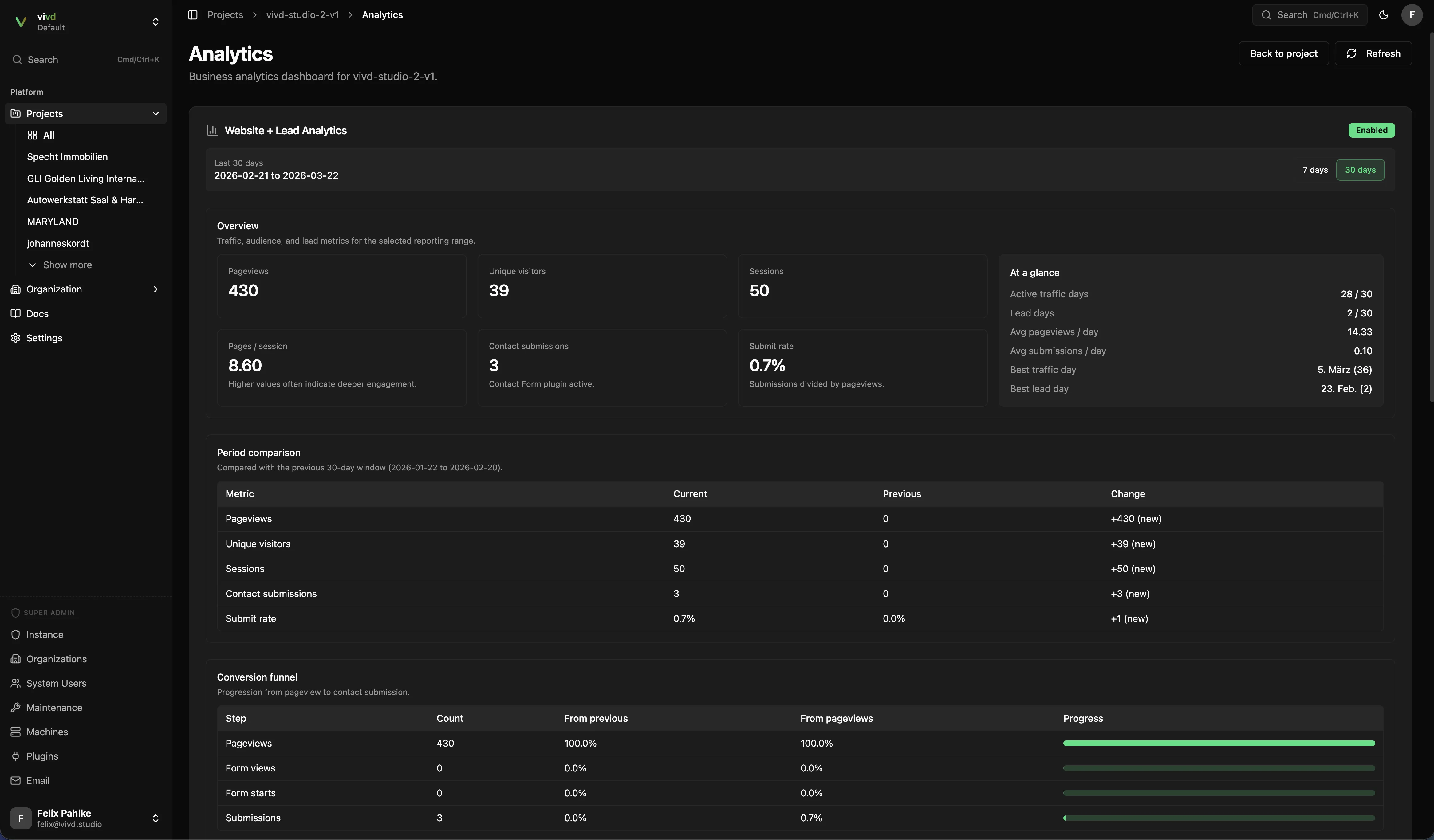
Traffic
Traffic is counted automatically whenever a page of your website is opened. Nothing is added to your pages and no cookie is used for counting, so there is nothing to install, nothing to publish again, and no banner to add.
A counted page view is a real page load in a browser. Automated visitors such as search engine crawlers and link checkers are not counted as page views, and neither are files, images or other parts of a page.
Counting starts on the day Traffic was switched on for your website. It does not reach back further, so the first weeks show a short history. If your website used Visitors & engagement before, that earlier history is still there: it stays in the Visitors & engagement section further down the same page.
What is counted
- Page views: each time one of your pages is loaded in a browser.
- Downloads: PDF, ZIP, Word, Excel, PowerPoint, OpenDocument and RTF files.
- Missing pages: addresses someone tried to open that do not exist.
- For each page view, the domain that linked to it, the country, and the device, browser and operating system category.
What is not counted
- Nothing that identifies a person: no IP address, no browser fingerprint, and not the full address of the page with its parameters.
- No visitor or session identity. Traffic tells you how many pages were read, not how many people read them.
- No clicks, scroll depth or custom events.
- Images, fonts and other page assets. Only pages and document downloads count.
- Page views from browsers that ask not to be tracked, through Global Privacy Control or Do Not Track, and from anyone who used the opt-out page.
- Automated visitors, such as search engine crawlers, link checkers and monitoring tools. They are kept out of every number.
Reading the numbers
Switch the range between the last 7, 30 and 90 days. Each number is shown against the same length of time before it, so you can see the direction as well as the size. Until counting has an earlier period to compare with, the panel says so instead of showing a change.
The missing-pages table is the practical one. It lists the addresses that were opened and not found, which is usually an old address from a printed flyer, a search result or a link on someone else’s website. It shows the ten most frequent addresses first; Show all lists the rest. Ask your Studio agent to redirect the address to the right page, or to fix the link that points at it.
Top pages and downloads list every address. Countries, sources, devices and missing pages group anything seen fewer than 3 times into one row, so a single visit cannot be picked out. Clicks from one of your pages to another are not listed as a source.
Two things to know:
- Today’s figure is still being collected and changes during the day.
- History starts on the day counting started for your website. There is no earlier Traffic data to fill in, and on a very busy website the counts are statistically corrected estimates rather than exact tallies.
Turning it off, and erasing the history
The Analytics page carries a switch that stops the counting for the website, and Erase traffic history, which deletes what has been collected. Both take effect without publishing your website again.
After an erase, the Traffic panel names the day counting restarted. The first numbers appear there within an hour of the next page view.
The page a visitor can use
Every domain of your website has a page at /.vivd/traffic-opt-out. It is a plain page in German and English where a visitor can switch the counting off for that domain. Each domain keeps its own choice.
Your privacy policy needs a short paragraph about the counting, with a link to that page. Ask your Studio agent for the wording; it has the German and English text ready.
Visitors & engagement
The Analytics plugin adds what Traffic deliberately leaves out: returning visitors, sessions, the path people take through the website, and which campaign a visit came from. It does that with a small script on your pages that stores a random visitor and session identifier in the browser, so on a German website it needs the visitor’s consent first.
Installing it, in this order
- Enable Analytics for the website.
- Set the plugin setting
consentModetorequired. The tracker then records nothing until a visitor agrees. - Have your Studio agent build the consent banner. The banner must record the agreement first and load the tracking script only afterwards. Getting that order wrong is the usual reason a banner looks right and nothing is ever counted.
- Publish, then check the dashboard once traffic arrives.
Vivd does not ship a consent banner as a product, so the banner is built into your website like any other section. Your Studio agent knows the pattern, including the “withdraw consent” control, which clears the stored agreement together with the visitor and session identifiers.
What you can configure
consentMode:nonerecords straight away,requiredwaits for consent. Userequiredon a German website.respectDoNotTrack: on by default.captureQueryString: off by default, so addresses are recorded without their parameters.excludedPaths: addresses to skip, each starting with/, up to 200 entries.enableClientTracking: on by default. Turn it off to stop the browser script from sending events.
On the page, the script exposes window.vivdAnalytics with track, trackPageview, grantConsent, revokeConsent and hasConsent, so a website can send its own events or wire consent into its own banner.
Geography
The geography section pairs a world map with a country table. Switch the metric between unique visitors and pageviews, and the map shades countries by the metric you picked. Select a country to see its pageviews and unique visitors on their own. Visitors whose country cannot be resolved are grouped as unknown and called out separately rather than dropped.
Sections and events
Events & sections shows which parts of a page people see and which they click. Ask your Studio agent to mark the sections you care about, such as the event list or the newsletter box, and publish. From then on, for visitors who agreed to tracking:
- A section counts as seen when about half of it, or half the screen for a long section, has been in view for about a second. Each section counts once per page view.
- A click on a link or button inside a marked section counts as a click on that section.
The Sections table shows, per page and section, how often it was seen, how many sessions saw it, how many of those clicked something in it, and the click rate. The Events table lists every event with its details, for example which event card a ticket link belonged to. Your agent can also record moments a click cannot show, such as a form that was really sent.
Filter by event, section or one detail written as name=value, switch between the last 7 and 30 days, and export either table as CSV. Each table shows up to 500 rows and says so when there are more. Nothing in the report identifies a visitor.
What to expect
This part is strongest after launch, and only as complete as consent allows: visitors who decline are not in it. Traffic above stays complete either way, which is why the two sections sit on the same page.
The pre-publish checklist checks whether a website with the plugin enabled has the install snippet in place and warns when it is missing. It does not ask for a banner because of Traffic, which sets no cookie.
Read the numbers in context
- Use Traffic to understand whether people arrive, and which pages and links are working.
- Use contact-form submissions to understand whether the website converts.
- Look at both together instead of treating page views alone as success.